


Real games, running right now
Say it in chat.
See it on stream.
22 games your Twitch chat plays by typing. No download, instantly playable, free, and your mods can run it all.
Twitch asks to read your chat and post game lines. Nothing else.
Hosting needs a desktop browser.Send yourself the link and open it on the PC you stream from.
What's the mood tonight?
Hover a game to watch it. Click it and Twitch login drops you straight into its menu.
Big crowd, big chaos
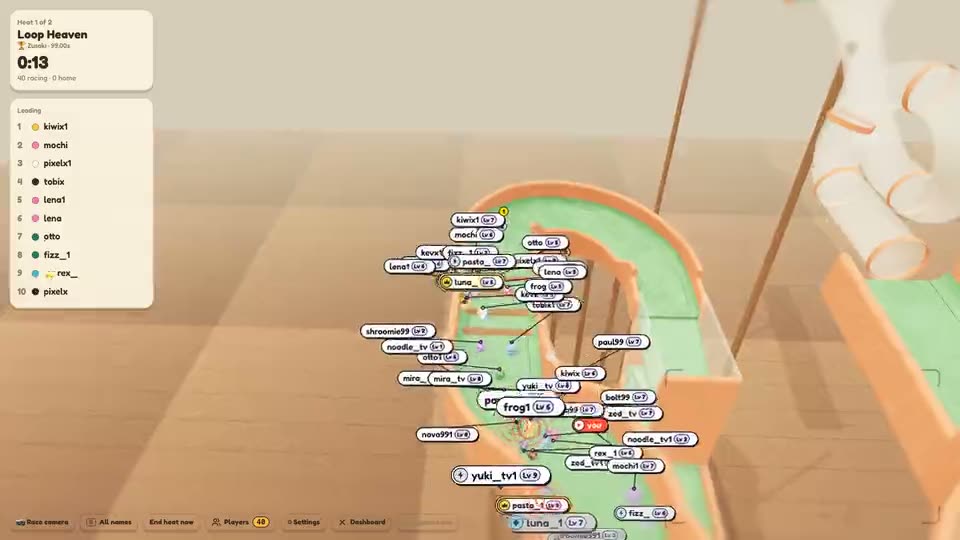
Everyone joins at once. Up to 250 marbles in one race.
Quiz night
Chat answers together. The top answer wins the round.
You against chat
Your move, then chat votes on theirs.
Quick rounds between games
For the gaps between the big games.

Guess it
Close counts. The best guess takes the points.


Four promises
Why streamers stay.
Four things every game here does, from the first login.
- No download
It's a website. That's the trick.
No launcher, no plugin, no bot to invite. Open chatgames.pro in the browser you stream from and share that tab.
- Windows, Mac, Linux, Chromebook
- No OBS plugin or browser source
chatgames.pro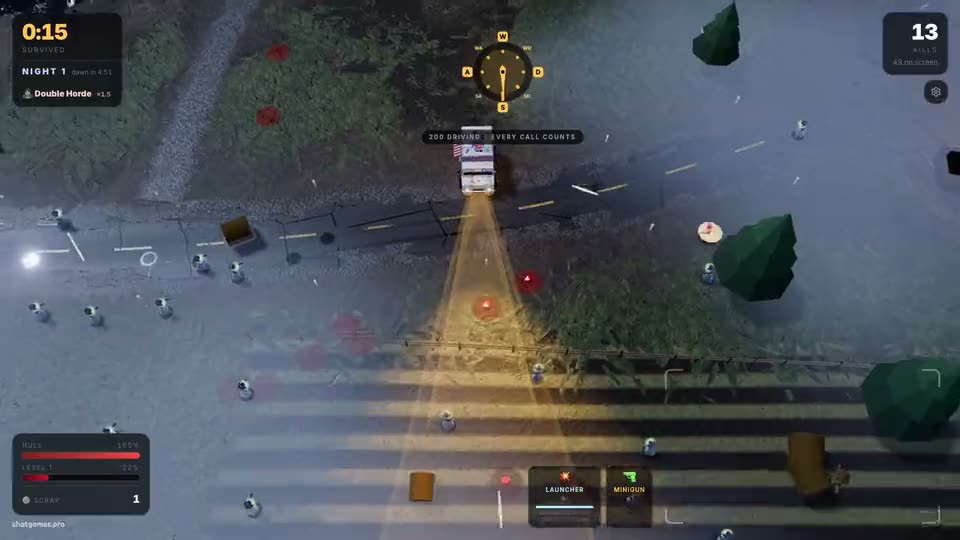
- Instantly playable
From login to first round, fast.
No setup wizard. Every game starts on good defaults. Change them later, or never.
- Only the streamer logs in
- Timers are built for stream delay
- 10 sLog in with Twitch
- ClickPick a game
- ShareTab + cam on stream
- GoChat is playing
- Free
Every game. Every setting.
Nothing is locked behind a paywall or a trial. All 22 games are open from your first login.
- No card to enter
- No locked levels or packs
Admit: your whole chat
Free to play
All 22 games · every setting
Price0No card - Mod control
Step away. Chat keeps playing.
Mods open, set up, start and skip any game from chat. You only share the tab and your cam.
- Every setting has a chat command
- Twitch bans carry into the game
 MODkev_mod: !marblesMODkev_mod: !maxplayers 100MODlena_mod: !startshroomie99: !join
Why it's easier
ChatGamesThe usual stream gameYour mods run the game from chat.
Pick a game, change the settings, skip a round — all of it as chat messages, while you keep talking. You never touch the browser tab.
- 1A mod opens a game
!marbles,!golf,!trivia— any of the 22, straight from chat. - 2They set it up
!maxplayers 100,!track k3x9qz,!timer 30— settings change mid-round too. - 3They start it
!start,!skip,!cancel— whenever the mood in chat changes. - 4You can be awayRaid, break, or just deep in a conversation — the round runs itself and chat keeps playing.
!marbles!start!maxplayers 100!track <id>!timer 30!skip!kick <name>!subonly on!de!chatgameshelpSafety tools, built in
- Messages deleted and users banned on Twitch drop out of the game too.
!kick nametakes one player out of the game.!subonly onlets only subs and mods join.- About 110 mod commands, all typed in chat.
One command set for all games. Chat types !howto for the rules of whatever is on screen, and mods get the full list with !chatgameshelp.
Read the mod guide →Tonight's stream just got a game.
Frequently asked questions
What is ChatGames?
A website where a Twitch streamer opens a game, puts the browser tab on stream, and the whole chat plays by typing in Twitch chat. There are 22 games: Hangman, Trivia, Mini Golf, Chess, ChatShips, ChatClimb, ChatMarbles, Backseat Apocalypse, Meemorie, Size Up, Chat Tier List, CHATionair, Boss Raid, Chatdle, Word Rush, Chat Feud, Chat Brawl, Pixel Reveal, Map Guess, Higher or Lower, Guess the Price and Year Guess.
Do my viewers need an account, an app or a link?
No. Your viewers need nothing. There is no ChatGames account for them, no app, no extension and no link to click. They just type in your Twitch chat. Only you, the streamer, log in with Twitch.
What can ChatGames do with my Twitch account?
It reads your chat, so it can count answers and votes. It posts game lines in your chat, like the winner of a round or the !howto rules. They appear under your name and start with "chatgames". Extra features, like polls, predictions or pinning the how-to line, each need their own permission, and it only asks for one when you turn that feature on. It never follows anyone, never bans anyone, never changes your stream title and never sees your password. You can delete your data on your account page and disconnect ChatGames in your Twitch settings.
Does stream delay break it?
No. Your chat sees the stream a few seconds after you do, and the games allow for it. Answers and votes count for the whole timer, not only the first seconds. Steering is pooled across chat, and picks like a marble's lane stay set until they are changed.
Does ChatGames cost anything?
No. Every game, the course and track builders and the community libraries are free to use, and there are no ads.
How do I start a game?
Log in with Twitch, pick a game, adjust the settings in the lobby and press start. Put the browser tab on stream, and chat sees on screen what to type.
Can my mods run the games while I'm AFK?
Yes. Mod control is on by default: moderators switch games, change every setting and start, skip or cancel rounds from chat. The full list is in the mod guide, and !chatgameshelp shows it in chat.
Can I play with friends in a Discord call?
Yes. Share the ChatGames tab in the call. Your friends type in your Twitch chat, and that works even while your channel is offline.
How many viewers can play at once?
Most games have no limit: everyone who types takes part. ChatMarbles is capped at 250 marbles per race and Chat Brawl at 150 fighters, and Mini Golf lets you set your own cap.
Does it work on a Mac, a Chromebook or Linux?
Yes. ChatGames runs in a browser tab, so there is nothing to install on any system. On a two-PC setup, open it on the streaming PC. It also works with OBS.
Which languages are supported?
The whole site runs in English and German. The dashboard, the games, the home page and every game page also run in Spanish, Portuguese and French, with trivia questions, hangman words, Chatdle words and every game's item names and photo captions in all five. In Map Guess and Pixel Reveal chat may answer in any of the five. Mods switch with !en, !de, !es, !pt and !fr.